

The Article I Promised #
In my last post I told you why I decided to make TwentyMobile open source. Today I’m taking you behind the scenes: how the app is built, the architectural choices, and all those “why doesn’t this work?” moments that every developer knows too well.
The Architecture: DDD and Connector Pattern #
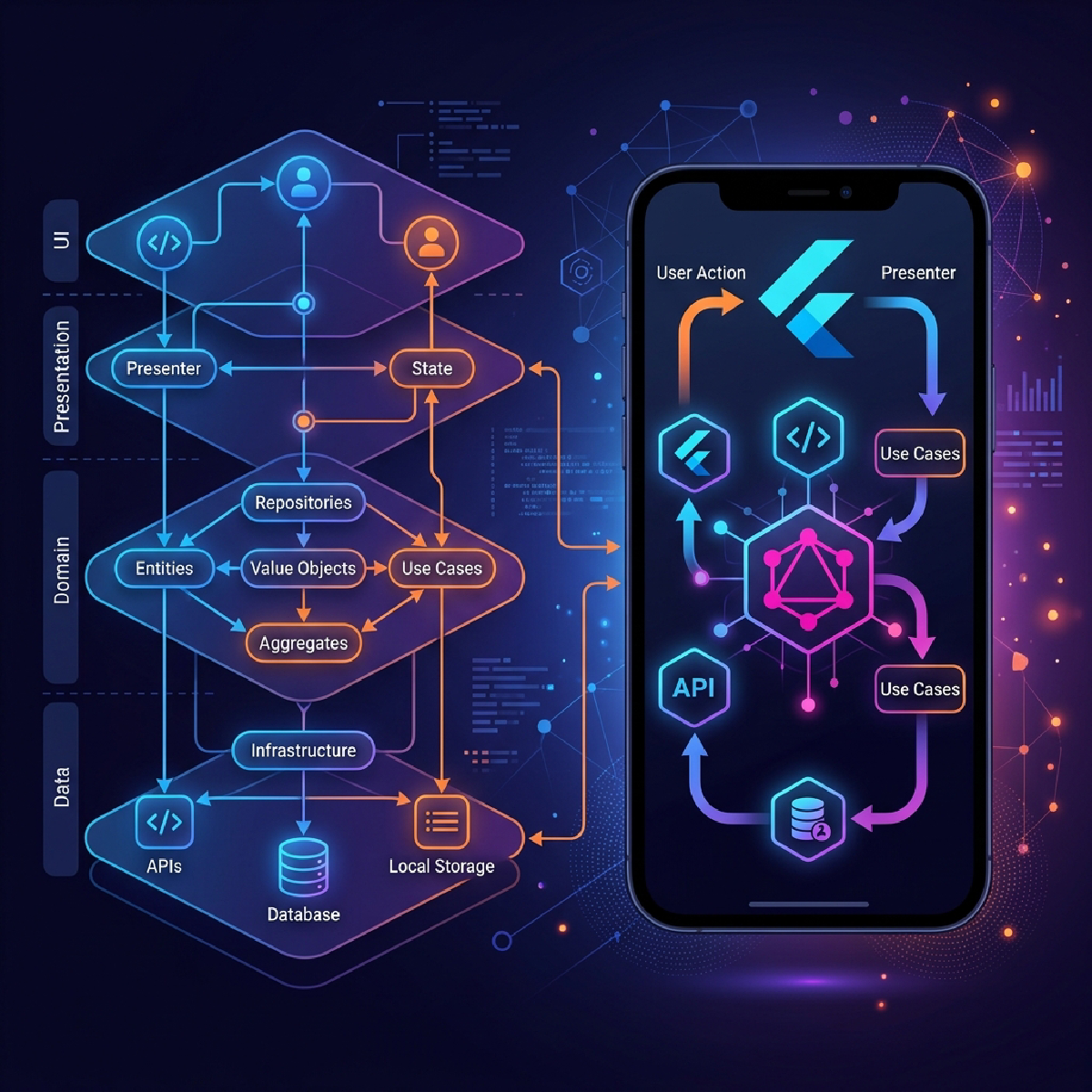
When I started writing TwentyMobile, I knew I didn’t want an app that worked only with Twenty CRM. The idea was to create a mobile client that could, in the future, connect to any CRM. Ambitious? Maybe. But the right architecture makes the difference between a project that scales and one that dies under its own weight.
I chose Domain-Driven Design (DDD) combined with a Feature-First approach. In practice, the project structure looks like this:
lib/
├── core/           # DI, Router, Theme, Notifications
├── domain/         # Models (Contact, Company, Note, Task, Workflow)
│   └── repositories/  # The abstract CRMRepository interface
├── data/           # TwentyConnector (the GraphQL client)
├── presentation/   # UI organized by feature
│   ├── onboarding/
│   ├── home/
│   ├── contacts/
│   ├── companies/
│   ├── tasks/
│   ├── workflows/
│   └── ...
└── shared/         # Shared widgets
At the heart of everything is the Connector Pattern: an abstract CRMRepository interface that defines all necessary methods (30+ methods!) to interact with a generic CRM. The concrete implementation is TwentyConnector, a GraphQL client that talks to Twenty’s APIs.
If tomorrow I wanted to support HubSpot or Salesforce? I’d just need to create a HubSpotConnector implementing the same interface. The UI wouldn’t change one bit. That’s the magic of DDD done right.
The Tech Stack #
Let me tell you about the technology choices and why I made them:
-
Riverpod for state management. After years of Provider and BLoC, Riverpod was a breath of fresh air. Code generation with
riverpod_annotationreduces boilerplate to a minimum. -
GoRouter for navigation. Supports deep linking, typed parameters, and integrates well with Riverpod for authentication redirects.
-
Freezed for domain models. Guaranteed immutability, automatic
copyWith, and especially those.fromTwenty()factory constructors that let me map Twenty’s GraphQL responses to my domain models. -
GraphQL Flutter for APIs. Twenty CRM exposes everything through GraphQL, and I have to say, once you understand how it works, it’s much more powerful than REST for a mobile app. You ask for exactly the data you need, nothing more.
The Features That Drove Me Crazy #
The Business Card Scanner #
This was one of the most fun features to implement. The idea: point your camera at a business card, the app reads the text with MLKit, and automatically creates the contact in the CRM.
The reality? Business cards are a nightmare. Creative fonts, non-standard layouts, information scattered in seemingly random ways. I had to write a custom parser (BusinessCardParser) that tries to figure out what’s a first name, what’s a last name, what’s an email, and what’s a phone number. It works 90% of the time. For that remaining 10%… well, there’s always manual entry.
Slide-to-Execute for Workflows #
This is the feature I’m most proud of from a UI perspective. When you execute a manual Twenty CRM workflow from the app, the confirmation button isn’t a simple “Tap”. It’s an iOS-style slider that you have to drag from left to right.
The reason is simple: workflows can do important things (send emails, update records, trigger webhooks). You don’t want to execute them by accident because you touched the phone with your thumb while pulling it out of your pocket.
The implementation includes:
- 85% drag threshold for activation
- Progressive haptic feedback at 25%, 50%, 75%
- Shake animation if something goes wrong
- Anti-fat-finger threshold to prevent accidental activations
Voice Notes #
In a meeting you can’t start typing notes on your phone without looking rude. But you can record a voice note after. I integrated speech_to_text for automatic transcription and save it as a note in the CRM. Fast, practical, and you don’t even have to look at the screen.
The Problems Nobody Tells You About (Part 2) #
The 52KB TwentyConnector — Yes, I know. It’s a huge file. Over 50 thousand bytes of GraphQL queries, mutations, and parsing logic. Every time I open it, the IDE takes a second too long. Refactoring has been on my list for a while, but as they say… “if it ain’t broke, don’t fix it”. And it works. Terrible as code quality, excellent as functionality.
Two-factor authentication — Implementing the 2FA flow with OTP was… an adventure. Twenty CRM supports TOTP, and the app has to handle the case where the user has 2FA enabled. I had to create a dedicated OTP screen that slots into the login flow only when needed. All with a timer that invalidates the code every 30 seconds. Nothing earth-shattering, but those UX details make the difference.
Token refresh — The app has to handle the case where the user puts the app in the background for hours and then reopens it. The JWT token will have expired, and if you don’t handle the refresh correctly, the user sees errors everywhere. I implemented an AppLifecycleHandler that automatically re-authenticates when the app comes back to the foreground. Sounds trivial, but the number of apps that get this wrong is staggering.

AI as Co-Developer #
One thing that surprised me is how much AI agents contributed to the project. I’m not talking about using Copilot for autocomplete. I’m talking about autonomous agents that open PRs, fix bugs, and optimize performance.
If you look at the commit history on GitHub, you’ll find branches like jules/optimize-country-code-search — created automatically by the Jules agent I integrated into my development workflow. The agent analyzes issues, scans the code, proposes solutions, and if tests pass, opens a PR.
The PRs I’ve received include:
- 🔒 Security fix: PII data protection in logs
- 🧹 Cleanup of swallowed exceptions in vCard generator
- ⚡ Avatar URL parsing optimization
- 🔧 Added autofill hints to login forms
Not bad for a co-developer who never sleeps and never asks for vacation.
The Numbers (for the Curious) #
Some numbers about the project:
- 85+ commits on the main branch
- 28+ branches for features and fixes
- Version 1.0.5, build 31
- 30+ methods in the CRMRepository interface
- iOS and Android support with responsive layout for tablets
- 0 data collected — privacy first
How to Try It #
If you want to try TwentyMobile, here are the links:
- 📱 Google Play Store
- 🍎 App Store (search “TwentyMobile”)
- 💻 Source code on GitHub
- 🌐 Official website
The app supports two access modes: API Token for administrators and Email/Password for standard users. There’s also a Demo Mode to explore the interface without configuring anything.
Final Thoughts #
Building TwentyMobile has been an incredible experience. I learned a ton about GraphQL, about DDD applied to Flutter, and about managing an open-source project. But above all, I learned that the best way to solve a problem is to share the solution.
If you have a Twenty CRM instance and you’re missing a mobile app, give it a try. If you’re a Flutter developer and want to contribute, the code is there. And if you have questions, open an issue on GitHub or reach out.
Until next time.